Use group billing#
Group billing is a Jump Desktop for Teams arrangement for paying for multiple teams in your organization on one bill. The team that pays is the billing team. Each team keeps its own users, computers, and settings. A user in multiple teams in the group is counted once, so you do not pay twice for that user. Use group billing when your organization operates multiple teams, for example one per department or region.
Applies to#
- Jump Desktop for Teams Pro or Enterprise plan.
- Team administrators with the Admin role on both the billing team and the team being added or removed. Admin (Read-Only) is not sufficient.
| Team | Requirements |
|---|---|
| Billing team | Active subscription. Not scheduled for deletion. Not already managed by another team. |
| Team to add | In a trial, or its subscription is cancelled. Not scheduled for deletion. Not in another billing group, and does not manage billing for other teams. |
Add a team to the group#
- In the Teams dashboard, open the billing team and click Billing.
-
In Group Billing, under Teams Not in Group Billing, click the link button next to the team.
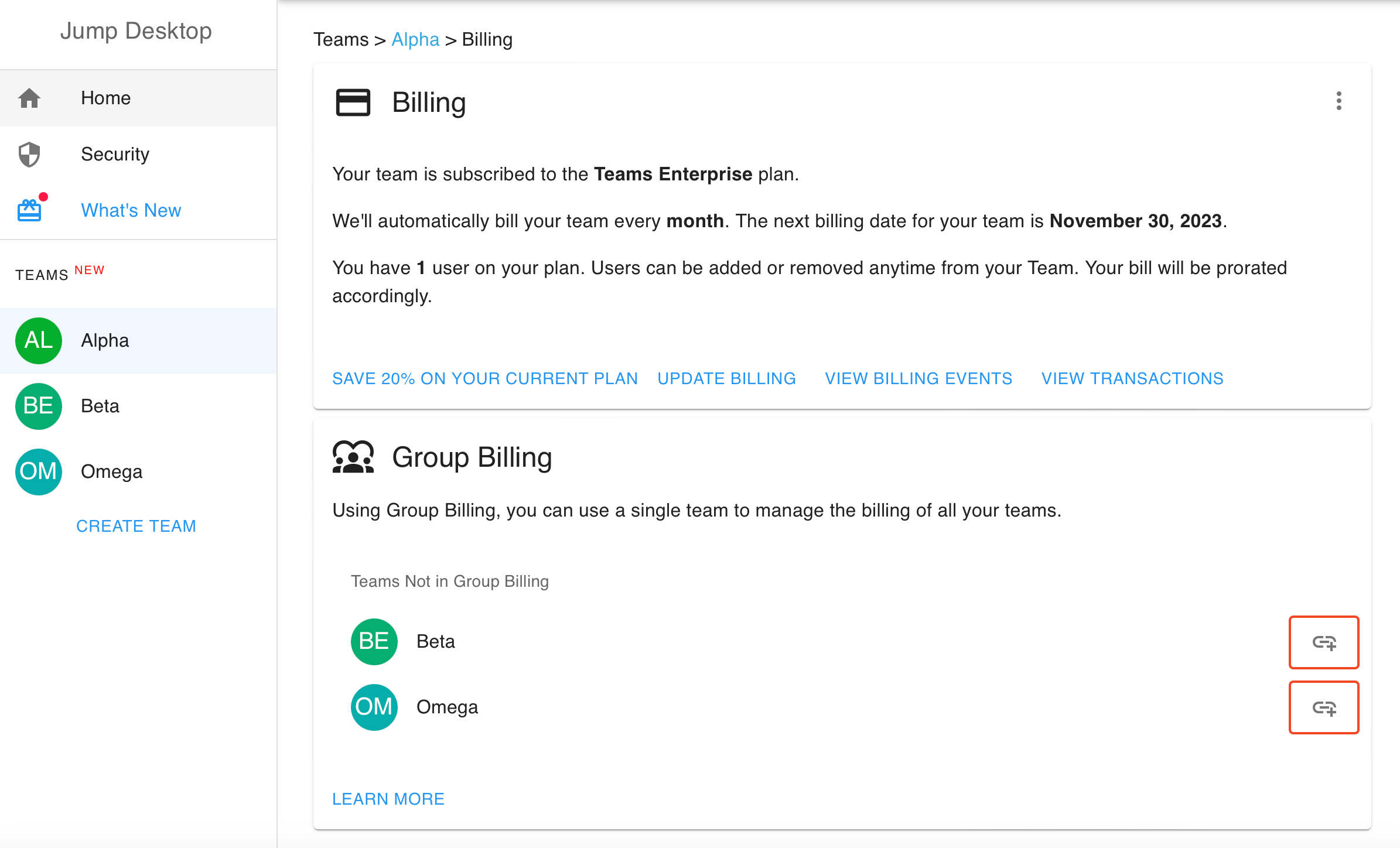 3. Click Add to Group.
The team moves to Teams in Group Billing. Its plan, billing cycle, and subscription status follow the billing team's subscription.
A team that is not listed does not meet the requirements. If the team has its own active subscription, cancel that subscription first.
What each team sees#
- Billing team: pays the combined bill for the billed users in all teams in the group. Export Billable Users includes the users of every team in the group.
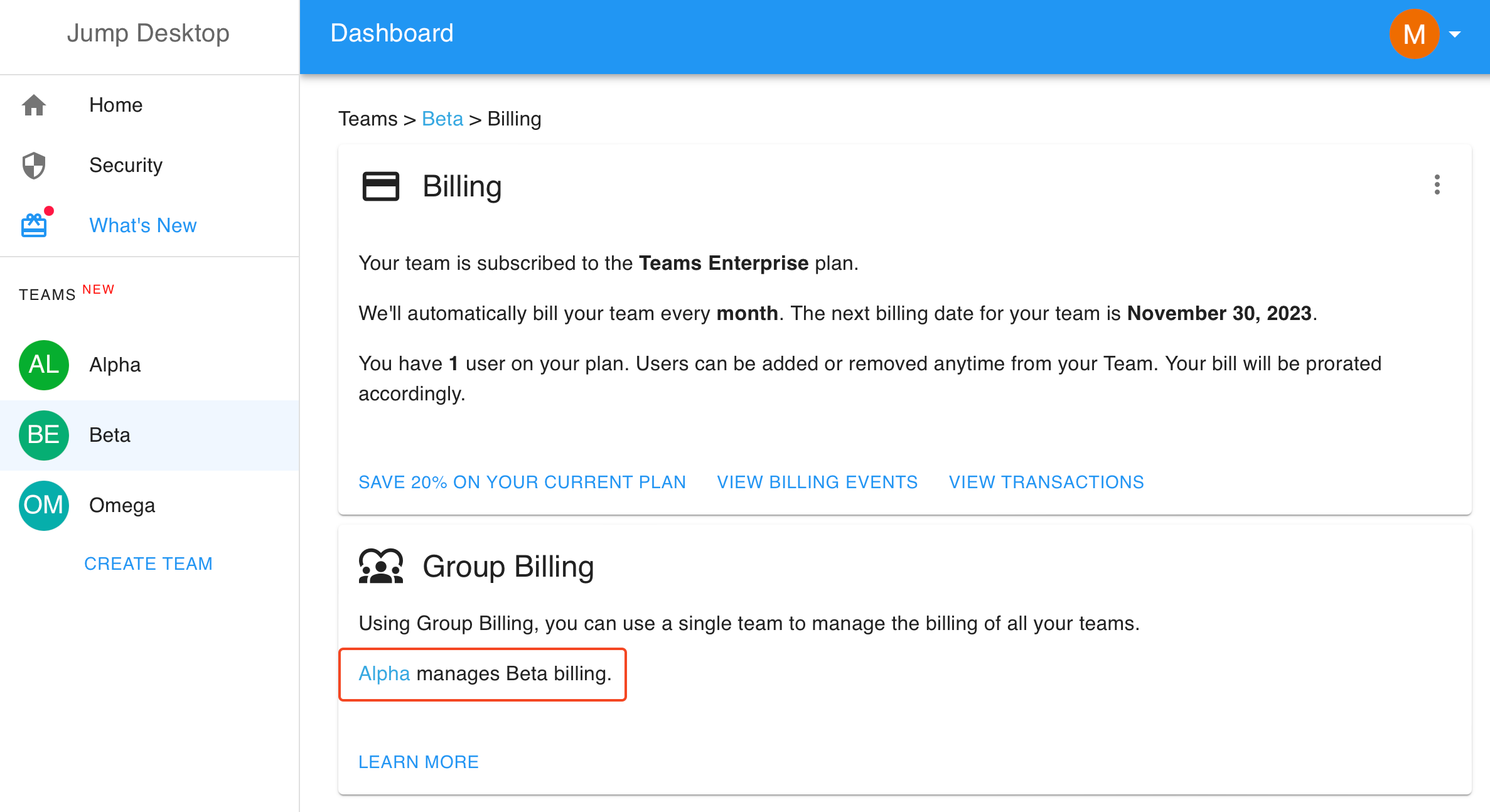
- Added team: its Billing page shows which team manages its billing. It cannot change plans, update the payment method, manage invoice recipients, or cancel its subscription.
Remove a team from the group#
Warning
Removing a team cancels its subscription; its users lose remote access to their computers until the team subscribes independently.
- In the Teams dashboard, open the billing team and click Billing.
-
In Group Billing, under Teams in Group Billing, click the unlink button next to the team.
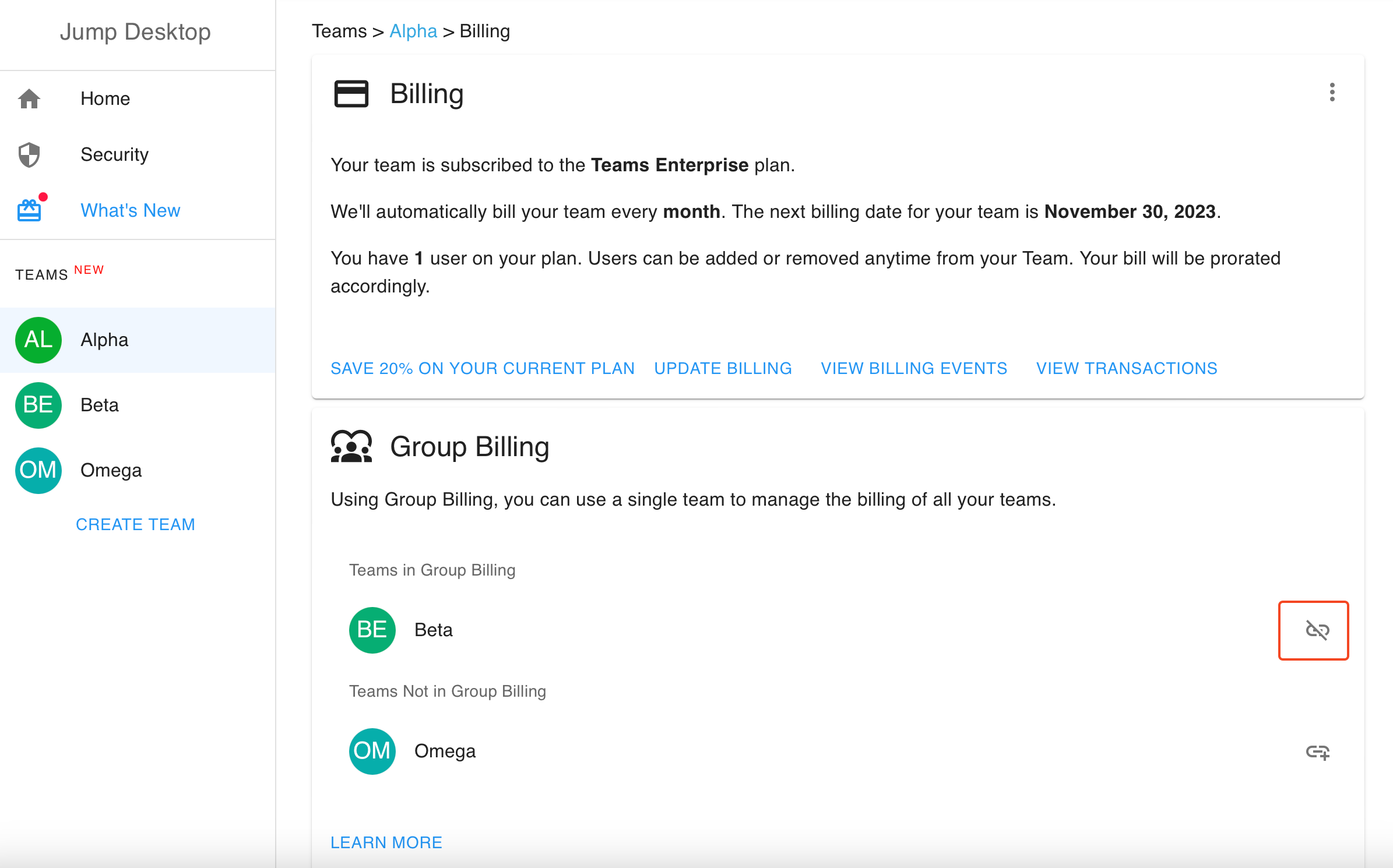 3. Click Remove from Group.
Limitations#
- A team can belong to only one billing group. Billing groups have a single level: a team in a group cannot manage billing for other teams.
- The billing team cannot cancel its subscription or be deleted while it manages billing for other teams. To cancel or delete the billing team, remove those teams first.